Why do routers have so many antennas?
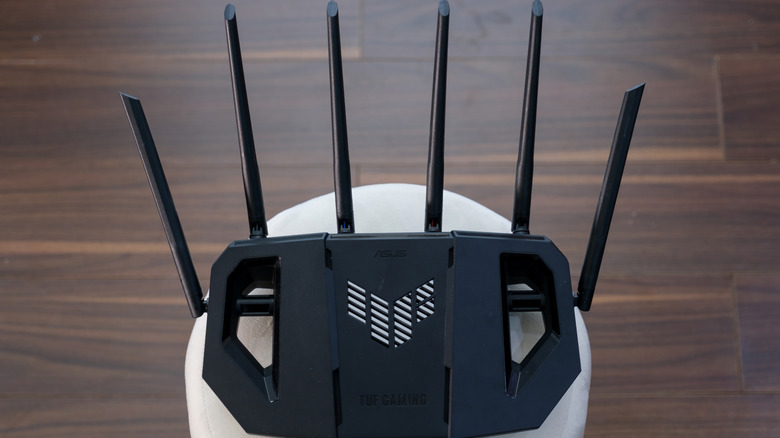
tinhkhuong/Shutterstock Add Engadget on Google: Preferred Source Google Discover Not so many decades ago, in much simpler and slower times, many Wi-Fi routers shipped with just a single antenna that could only handle one wireless data stream at a time. As Wi-Fi got better, the internet got faster and devices rapidly multiplied across households. The number of antennas on routers did, too. Today, there are routers with as many as eight antennas. At first glance, routers with many antennas might come off as a simple marketing gimmick, but there's a good reason why single-antenna routers stopped being enough. Yes, even that alien spider-looking router with eight antennas has a good reason for existing, but that doesn't mean it's for everybody. Picture an antenna as a single-lane road. In a small town, that single lane is plenty. Take that same road into a busy city, and traffic congestion builds up fast. In the early days, when one of the internet's main uses was email, a single antenna was plenty too, but that's no longer the case. So instead of building routers with just one lane, manufacturers started building ones that could run several lanes of traffic at once, using a trick called MIMO (multiple-input, multiple-output). This tech is what actually makes multiple antennas useful, because contrary to what most people think, simply bolting on extra antennas without MIMO causes more problems than it solves. What do multiple antennas actually do? Thanks to MIMO, routers with multiple antennas can carry more data using a fancy technique called spatial multiplexing. So more antennas allow room for more lanes of data, but that doesn't mean more antennas automatically equal more data lanes. The router also needs the right internal hardware to turn those lanes into separate data paths. Another use of multiple antennas is beamforming. In plain terms, this means multiple antennas allow your router to determine where your device is and then focus its signal on it. And the more antennas, the better your router can do this, because each extra antenna gives it another signal it can fine-tune. Think of several people tossing pebbles into a pond at carefully timed moments. Their ripples can build into a stronger wave at one chosen spot and stay weaker elsewhere. Beamforming needs multiple antennas for the same reason: The router coordinates their signals so they combine more strongly around your device. One lone antenna has no other signals to coordinate with. Signal diversity and reliability are other big reasons for multiple antennas. In a house, Wi-Fi signals don't go straight to the recipient; instead, they bounce off walls, furniture, metal objects and even people. So having multiple spaced-apart antennas ensures at least one gets a clean signal even if others don't. Also, multiple antennas are needed for MU-MIMO (Multi-User Multiple-Input Multiple-Output). Older routers served one device at a time before rapidly cycling to the next. MU-MIMO splits a router's antenna array so it can actually talk to multiple devices simultaneously. How many antennas is too many? SOLDATOOFF/Shutterstock For most people and homes, a router with eight antennas is overkill; a good router with two to four antennas is usually more than enough. In fact, the most important thing isn't just antennas; Wi-Fi standards and software also play a big role in the performance of a router. If coverage is one of your concerns, then a router with eight antennas might be a reasonable choice since you'd have more antennas to adjust to improve coverage. But for coverage cases, setting up a mesh network is usually a more reliable solution than simply having more antennas. For businesses, a high-capacity router with more antennas and data streams can be useful, especially in offices, cafés or other places where lots of people are connected at once. But once again, beyond antenna count, Wi-Fi standard and software play a major role in keeping the network running smoothly even when several devices are connected. Another thing to know is that a newer, faster-looking Wi-Fi router with more antennas doesn't necessarily mean faster internet speed. At the end of the day, your max internet speed is capped by your plan, and a new eight-legged, spider-looking router won't magically bypass that.