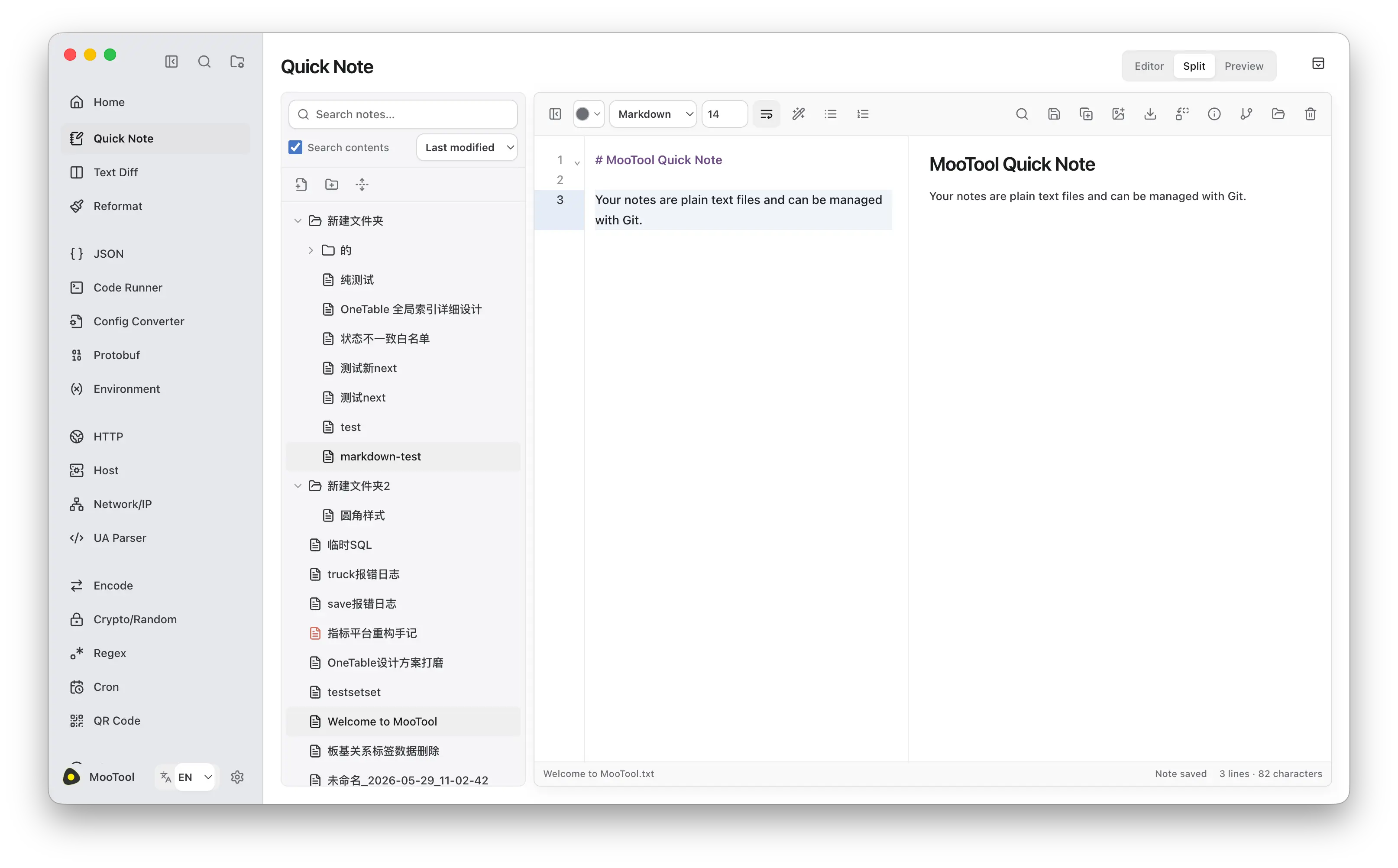
MooTool Next 使用 Electron、React 和 TypeScript 全新重写, 带来更现代的界面与多窗口体验。支持 macOS、Windows 和 Linux,可与 Java 版独立安装,支持数据一键迁移。 推荐使用体验~ MooTool Next Electron 1.1.3 English Product: MooTool Next Electron Version: 1.1.3 This release is installed and updated independently from MooTool Java and does not overwrite the Java edition. Features More app-like main layout and dialogs; settings open as a dedicated page instead of a popup. Pin / unpin tool windows from the left navigation, with per-tool custom drag regions. Color palette supports multiple favorite folders (aligned with Java) and a proper favorite button. Notes: create copy, export, and document info moved to the left-list context menu; Git sync also available from the menu. Recent tools in feature navigation are off by default. Fixes and improvements Immersive title-bar / drag-region polish across Notes, JSON, Text Diff, HTTP, Message Board, and other tools. JSON “More tools” and Notes quick-replace panels resize with the splitter. Fixed detached-window traffic lights disappearing under the cursor; improved light-mode navigation dividers. Notes / JSON layout tweaks (search on top, denser side panes). Notes Installers remain unsigned. On macOS, the app downloads and verifies the new DMG, then asks the user to open it and drag the app into Applications. The Java product line continues to use v* tags and its existing update manifest. 中文 产品线:MooTool Next Electron 版本:1.1.3 本版本与 MooTool Java 独立安装、独立更新,不会覆盖 Java 版本。 新功能 主布局与对话框更偏桌面 App 风格;设置改为独立页面打开,不再弹窗。 左侧导航支持打开 / 收回独立窗口;各功能区按内容定制可拖拽区域。 调色板支持多个收藏夹(对齐 Java),并补齐收藏按钮。 随手记:创建副本、导出、文档信息移至左侧右键菜单;Git 同步同步加入菜单(工具栏保留)。 功能导航中「显示最近使用」默认关闭。 修复与改进 随手记、JSON、文本对比、HTTP、留言板等页面沉浸式顶栏与拖拽区域优化。 JSON「更多工具」与随手记快捷替换栏可随分割线动态变宽。 修复独立窗口红绿灯悬停消失;优化亮色模式下左侧分割线表现。 随手记 / JSON 左侧布局调整(搜索置顶、栏间距收紧)。 说明 安装包仍未签名。macOS 会下载并校验新版 DMG,随后提示用户打开 DMG 并将应用拖入“应用程序”。 Java 产品线继续使用 v* tag 和原有更新清单,不受本次发布影响。 下载地址 https://github.com/rememberber/MooTool/releases
MooTool Next 1.1.3 发布!全新重写,带来更现代的界面与多窗口体验
来源:开源中国
2026年08月27日 18:01
1 阅读
分享到: